Geometry Arrow 2 controls
| Action | Keyboard / mouse | Mobile |
|---|---|---|
| Fly the arrow upwards | Hold the left mouse button or Space | Touch and hold the screen |
| Let the arrow drop | Release | Release your finger |
| Leave the level | Escape | Back button in the game |
What is Geometry Arrow 2?
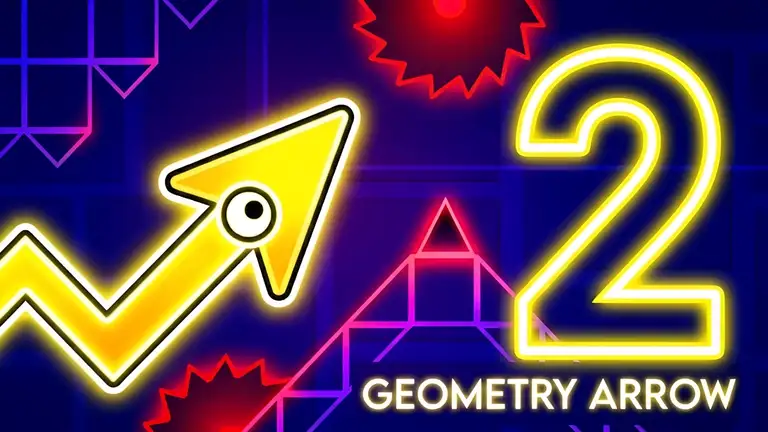
Geometry Arrow 2 is a fast one-button arcade game in the style of rhythm runners. You guide a small arrow through a long, narrow cave. The arrow always moves forward; holding the button makes it climb at an angle and releasing it makes it dive, so it leaves a zig-zag trail behind it. Touch a wall, a spike or a moving block and you start again from the beginning of the level. Reach the portal at the end of the cave to win.
This sequel adds a second form, the Wheel, which rolls along floors and can flip between the floor and the ceiling. Each of the thirteen levels mixes Arrow segments and Wheel segments, so you have to switch your timing mid-run. You can also customise the look of your arrow and ball, the particles and the block textures.
How to play
Pick a level from the menu and click, press Space or tap to start. Hold to rise, release to fall. In Wheel sections the same input flips gravity. Press Escape to leave a level.
Tips for beating hard levels
- Tap, don't hold, in tight gaps. Short taps make small adjustments; long holds send you into the ceiling.
- Look ahead, not at the arrow. Your eyes should be on the next gap, not on the arrow itself.
- Learn sections one at a time. Levels are long. Notice which part kills you most and focus on that.
- Count the rhythm. Many obstacle patterns repeat at a steady beat. Tapping in time makes them easier.
- Take short breaks. Geometry Arrow 2 gets hard quickly, and tired reactions make it harder.
Who is it for?
Players who love a proper challenge. The controls take seconds to learn, but clearing the later levels takes real practice, and the moment you finally reach a portal after twenty attempts is very satisfying. It works with a mouse or a keyboard, and the developer also supports touch screens.
Similar games
For more timing challenges, try Backflip Master or the racing thrills of Moto X3M. Browse all our arcade games.
What we found when we tested it
The game opened straight on its main menu, with no advert when we tried it: the first level card showing 0% progress, a customisation button and sound settings. The interface is plain and quick, which suits a game where you will be restarting a lot.